Free
- Read up to 5 messages, photos, screenshots or PDFs every 30 days
- One family member by name, plus plans for everyone
- Tomorrow, evening reminders and changes from later messages

For parents and caregivers
Turn school notices, team messages, appointment details, screenshots and PDFs into clear plans — including what to bring, sign or pay. You check everything before it’s saved.
On Wednesday, our class will visit the City Science Museum. The bus leaves school at 8:30 AM. Please sign and return the permission slip with the $12 trip fee by Monday. Students should wear their green class T-shirt and bring a packed lunch and a water bottle.
Ms. Carter, Room 12
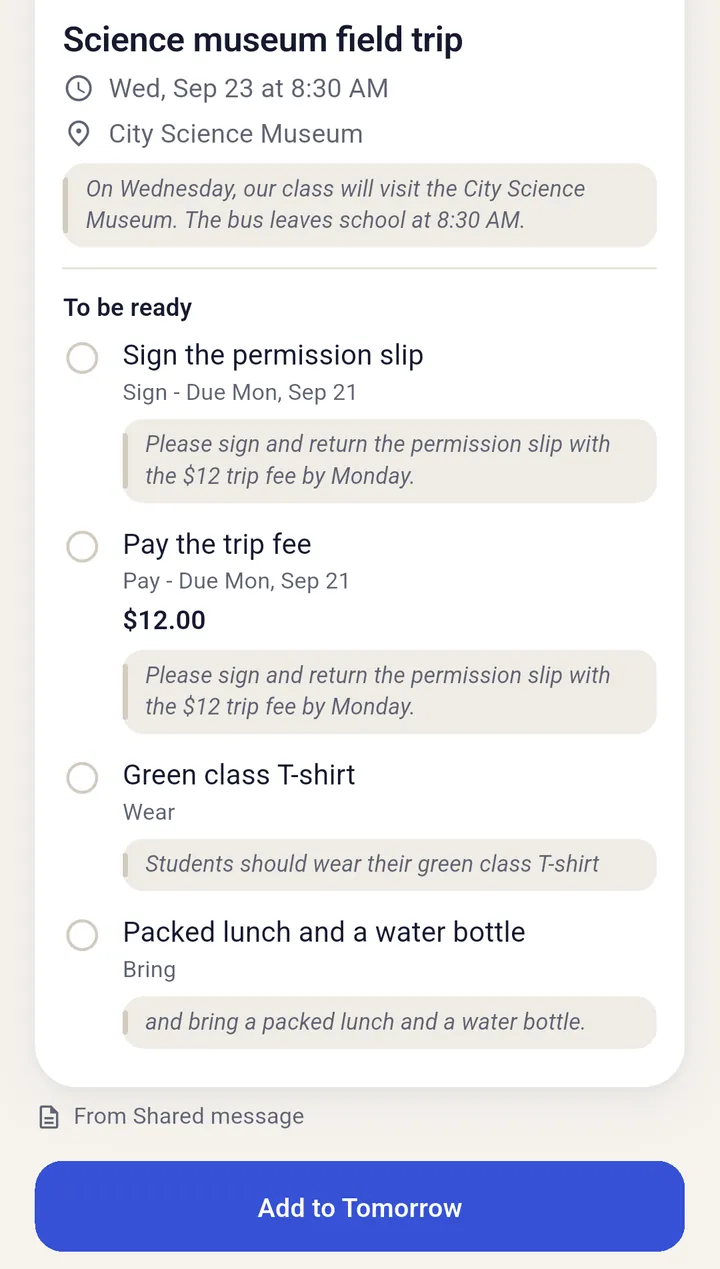
They arrive as a school letter, a camp PDF, a text from the coach or a last-minute change, with a permission slip due Monday buried somewhere inside. The hard part isn’t getting the information. It’s remembering what matters when tomorrow comes.
FamBrief turns each one into a plan you can get ready for.
How it works
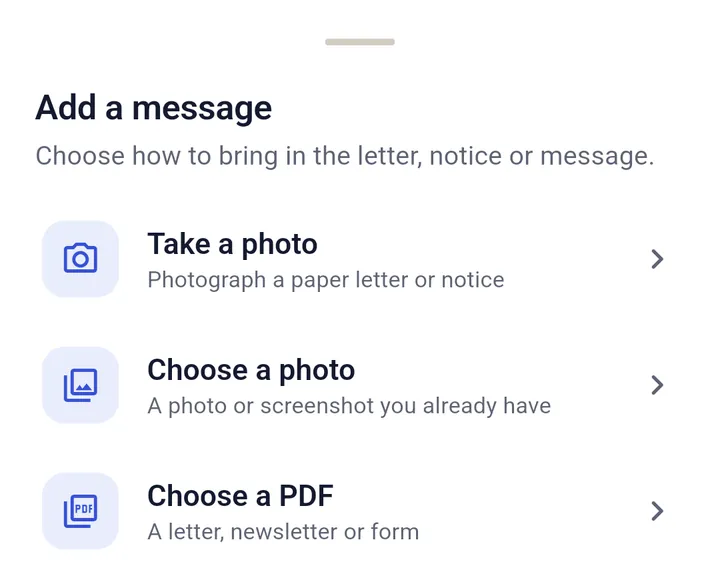
Take a photo of a letter, choose a screenshot or PDF, type or paste a message, or share one from another app.
FamBrief finds the date, who it’s for, where to be and what to prepare. Nothing is saved until you confirm.
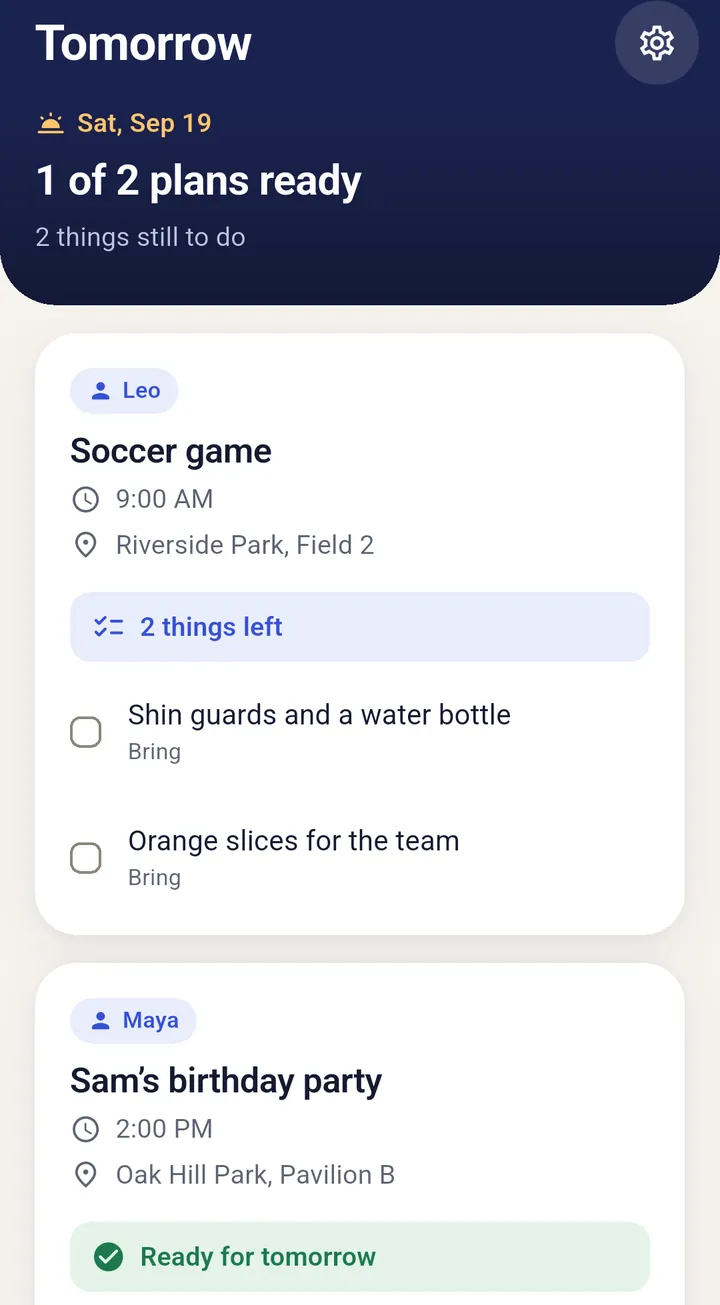
Your Tomorrow screen shows what’s left to do, with an evening reminder if you want one.
Tomorrow isn’t another calendar. It shows what’s happening, who it’s for and what’s still left to do, and tells you when you’re all set.
One quiet place to check tonight, so tomorrow asks less of your memory.
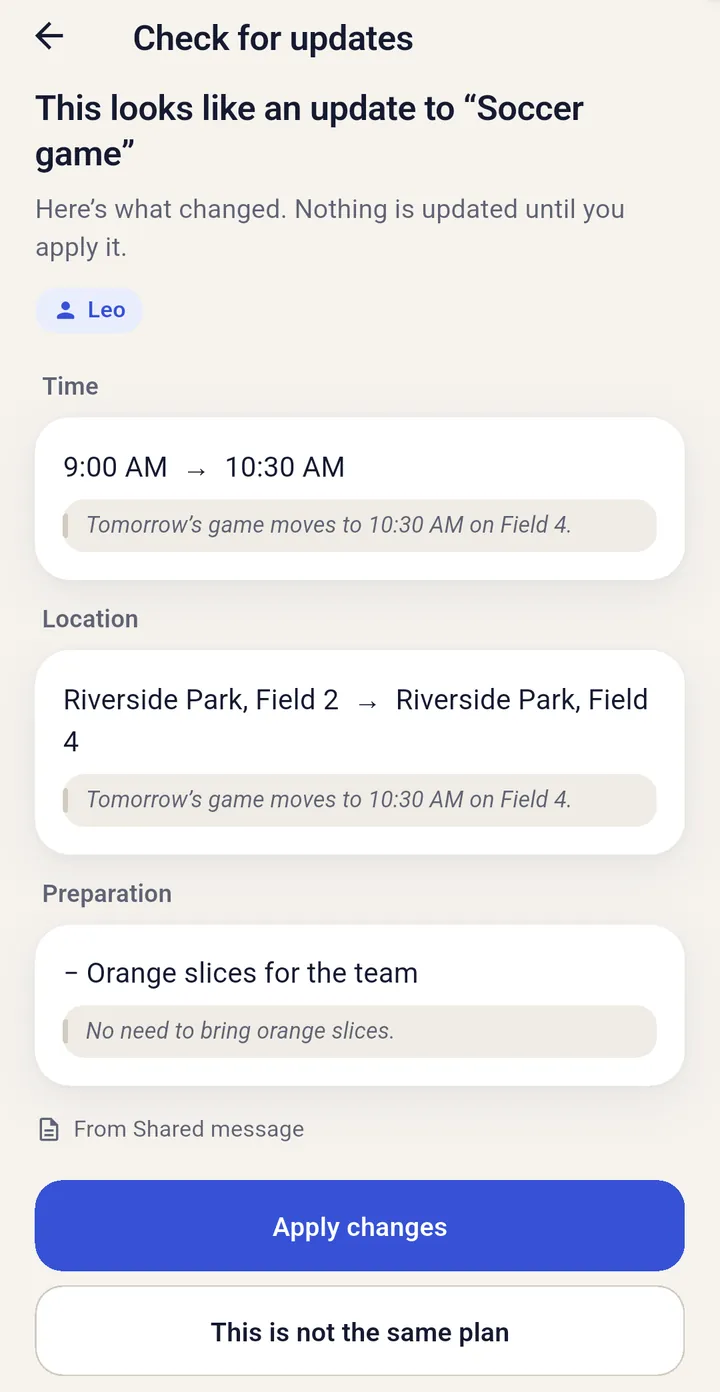
Before anything is saved, you see what FamBrief found and the words it came from. When a later message moves a time or cancels a plan, you see exactly what would change, and nothing updates until you apply it.
FamBrief treats them that way.
For busier families: more people, more messages.

Coming soon to iPhone
Each message, photo, screenshot, PDF, or shared, typed or pasted text FamBrief reads counts as one AI import in the app. The built-in example doesn’t count, and checking a new message against your saved plans doesn’t use an extra one. If you reach your limit, your saved plans, Tomorrow and reminders keep working. Pro is an optional subscription through the App Store or Google Play, and you’ll see the price before you buy.
Start with whatever you received.
No. FamBrief turns the messages you get into plans, then shows what your family needs to be ready for tomorrow. It doesn’t connect to or replace your calendar.
A photo of a paper letter or notice, a screenshot or photo you already have, a PDF, a message you type or paste, or a message shared from another app. FamBrief doesn’t open links, so share the message text or a screenshot instead.
No. FamBrief only reads what you choose to add. It doesn’t connect to your email, texts, school apps or calendar.
No. You check what FamBrief found before it’s added, and changes from later messages wait for you too.
FamBrief looks for the saved plan the message may be about and shows what would change: a new time or place, an item added or dropped, or a cancellation. Nothing changes until you apply it, and if it isn’t the same plan, you can say so.
Yes. AI reads the message and suggests the details. It can get things wrong, which is why you check before anything is saved.
They’re sent securely to be read, then not kept by FamBrief. The app keeps the plan you confirm, stored on your phone. The Privacy Policy explains the details, including how our AI provider processes them.
Yes. Each of you can use FamBrief on your own phone. Plans stay on the phone they were added on and don’t sync between phones, so each of you adds the messages that matter to you.
Yes. Free includes up to 5 messages every 30 days, one family member by name plus plans for everyone, Tomorrow and evening reminders. Pro raises that to 100 messages and everyone in your family by name.

Turn the next message into a plan, check what matters, and get everyone ready.
Coming soon to iPhone
Free to start. No account needed.